This post is long overdue as I put a lot of effort into the code behind this and when it was finally finished, I just never got around to blogging about it.
A little while ago katopz a new member of the JigLibFlash team started work on Flash Player 10 specific version of JigLibFlash. Once he got it up and running I started work on optimizing it’s performance. I had done performance optimizations for many different projects in the past, but I had never undertaken an optimizing task quite this complex. Overall it was a very great learning experience, learning the ins and outs of the Flash Player and gaining more knowledge on the weird thing that is the Flash Compiler. While I thought I understood people’s frustrations with the Flash Compiler, it wasn’t until my second week into making performance tweaks that I began to see how poorly the Flash Compiler actually works.
In the end my work finally paid off as JigLibFlash began performing 150% faster than the previous version.
Once that was complete I fixed up the JigLibFlash FIVe3D plugin to make it work with a slightly modified version of FIVe3D (just modified enough so it would compile under Flash Player 10). This is the point when I decided that since I had learned so much about FP10 and the Flash Compiler, I should take a stab at creating a properly FP10 version of FIVe3D. What I thought would be a quick task ended up evolving into me completely rewriting the library. When this new version was complete it ran well over twice as fast as the old one. I contacted Mathieu (creator of FIVe3D) so see if he wanted a copy. It turned out that during the same time period he was also working on an FP10 version of FIVe3D.
Not all was lost, he sent me an alpha version of the library, so I could perform some benchmarks. While my code performed better in certain situation, his performed better in normal uses cases. With this new information in hand I began work trying to incorporate some of my feature enhancements into his version of the library. The most important feature being the addition of ‘direct transform matrix manipulation’. Mathieu and I had spoke of about this feature a few times prior, but understandably he had more important items to tackle. For people that don’t know ‘direct transform matrix manipulation’ is so important because it is a requirement for JigLibFlash to work. This is why in the past to get FIVe3D and JigLibFlash to work together you had to download a custom Sprite3D class from my site.
After a lot of thought I managed to come up with a way to not only incorporate this feature, but also make the library a little bit faster in the process. I sent the modified version back to Mathieu and this code has since been added to the FP10 version of the FIVe3D library. Mathieu was also nice enough to add me as a contributor to the library.
This means that need to download a custom Sprite3D class is no longer required. All the code (minus the Cube class) for using JigLibFlash together with FIVe3D is now added to their respective libraries. This also means that things are a lot faster and in the end; speed = fun.
All the pieces you with need to download:
To see the demo click here.
To get the source for this example click here.
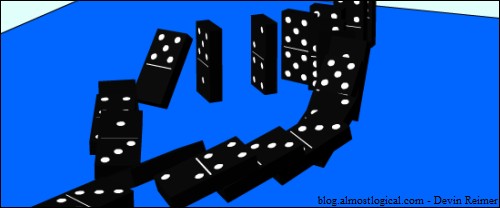
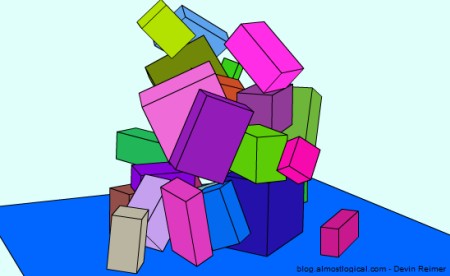
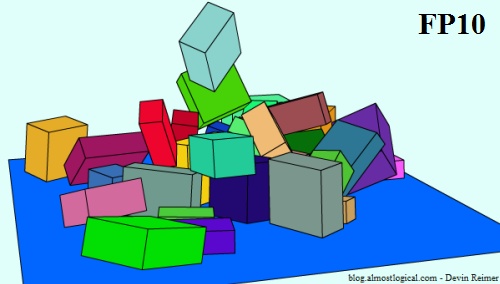
Note: This demo is the same as my first FIVe3D JigLibFlash example the only difference being it is using the FP10 version of both JigLibFlash and FIVe3D.
Update: Some people are having problems with the scale of objects being too small. This is a bug in the original Flash Player 10 player. This bug has since been fixed so make sure you get the newest version of Flash Player 10, Flash CS4 and/or Flex SDK.